Databricks Managed Iceberg table configuration
Bufstream’s Iceberg Export (continuous export) mode is compatible with Databricks Managed Iceberg tables. This page covers the Databricks-specific configuration required to connect Bufstream to a Databricks Unity Catalog.
Bufstream 0.4.5 or newer is required.
TL;DR
Start by configuring a schema provider. Then, configure Bufstream for Databricks:
# Add a Databricks catalog as a REST catalog, using an OAuth secret or
# Personal Access Token (PAT):
iceberg:
  - name: databricks
    rest:
      url: https://DATABRICKS_INSTANCE_NAME/api/2.1/unity-catalog/iceberg-rest
      warehouse: DATABRICKS_CATALOG_NAME
      oauth2:
        token_endpoint_url: https://DATABRICKS_INSTANCE_NAME/oidc/v1/token
        scope: all-apis
        # Names of environment variables containing secrets. `string` can be
        # used instead of env_var to store the credential's value directly
        # within the file.
        client_id:
          env_var: DATABRICKS_CLIENT_ID
        client_secret:
          env_var: DATABRICKS_CLIENT_SECRET
# Configure a schema registry.
schema_registry:
  bsr:
    host: buf.build
Update your configuration, restart Bufstream, then configure topic parameters:
Configure topic for Iceberg Export
bufstream kafka config topic set --topic my-topic --name bufstream.export.iceberg.commit.freq.ms --value 300000
bufstream kafka config topic set --topic my-topic --name bufstream.export.iceberg.catalog --value databricks
bufstream kafka config topic set --topic my-topic --name bufstream.export.iceberg.table --value bufstream.my_topic
After the commit frequency passes, you’ll soon see new topic data appear in Databricks.
Overview
Configuring Bufstream’s export to Databricks Managed Iceberg tables is typically four steps:
- Gather necessary Databricks information.
- Configure a schema provider. Schema providers allow Bufstream to generate and maintain Iceberg table schemas that match your Protobuf message definitions.
- Add a catalog to Bufstream’s configuration.
- Set topic configuration parameters for catalog, table name, and export frequency.
Once you’ve set these options, Bufstream begins exporting topic data to Databricks.
Gather Databricks information
Start by signing in to Databricks and navigating to your workspace. Gather the following information:
- Your Databricks instance name. (If you log into
https://acme.cloud.databricks.com/, your instance name isacme.cloud.databricks.com.) - Your Databricks catalog name.
- OAuth credentials for a service principal or a personal access token.
Configure a schema provider
Start by making sure you’ve configured a schema provider: a Buf Schema Registry or Buf input.
Don’t forget to configure a schema provider and set topic configurations like buf.registry.value.schema.module and buf.registry.value.schema.message!
Add a catalog
Before configuring topics, add at least one catalog to your top-level Bufstream configuration in bufstream.yaml or, for Kubernetes deployments, your Helm values.yaml file. Assign each catalog a unique name.
To use a Databricks catalog with Bufstream, add a catalog with the rest key and your workspace’s configuration.
The following example is a minimal configuration using OAuth for access. Personal access tokens work, too.
iceberg:
  - name: databricks
    rest:
      url: https://DATABRICKS_INSTANCE_NAME/api/2.1/unity-catalog/iceberg-rest
      warehouse: DATABRICKS_CATALOG_NAME
      oauth2:
        token_endpoint_url: https://DATABRICKS_INSTANCE_NAME/oidc/v1/token
        scope: all-apis
        # Names of environment variables containing secrets. `string` can be
        # used instead of env_var to store the credential's value directly
        # within the file.
        client_id:
          env_var: DATABRICKS_CLIENT_ID
        client_secret:
          env_var: DATABRICKS_CLIENT_SECRET
Bufstream’s reference documentation describes all REST catalog configuration options for both bufstream.yaml and Helm values.yaml, including OAuth and bearer token authentication.
Configure topics
See Iceberg Export configuration for the full list of required and optional topic configuration parameters, including commit frequency, date/time partitioning granularity, and field-based partitioning.
Bufstream supports reading and updating topic configuration values from any Kafka API-compatible tool, including browser-based interfaces like AKHQ and Redpanda Console.
Query your table
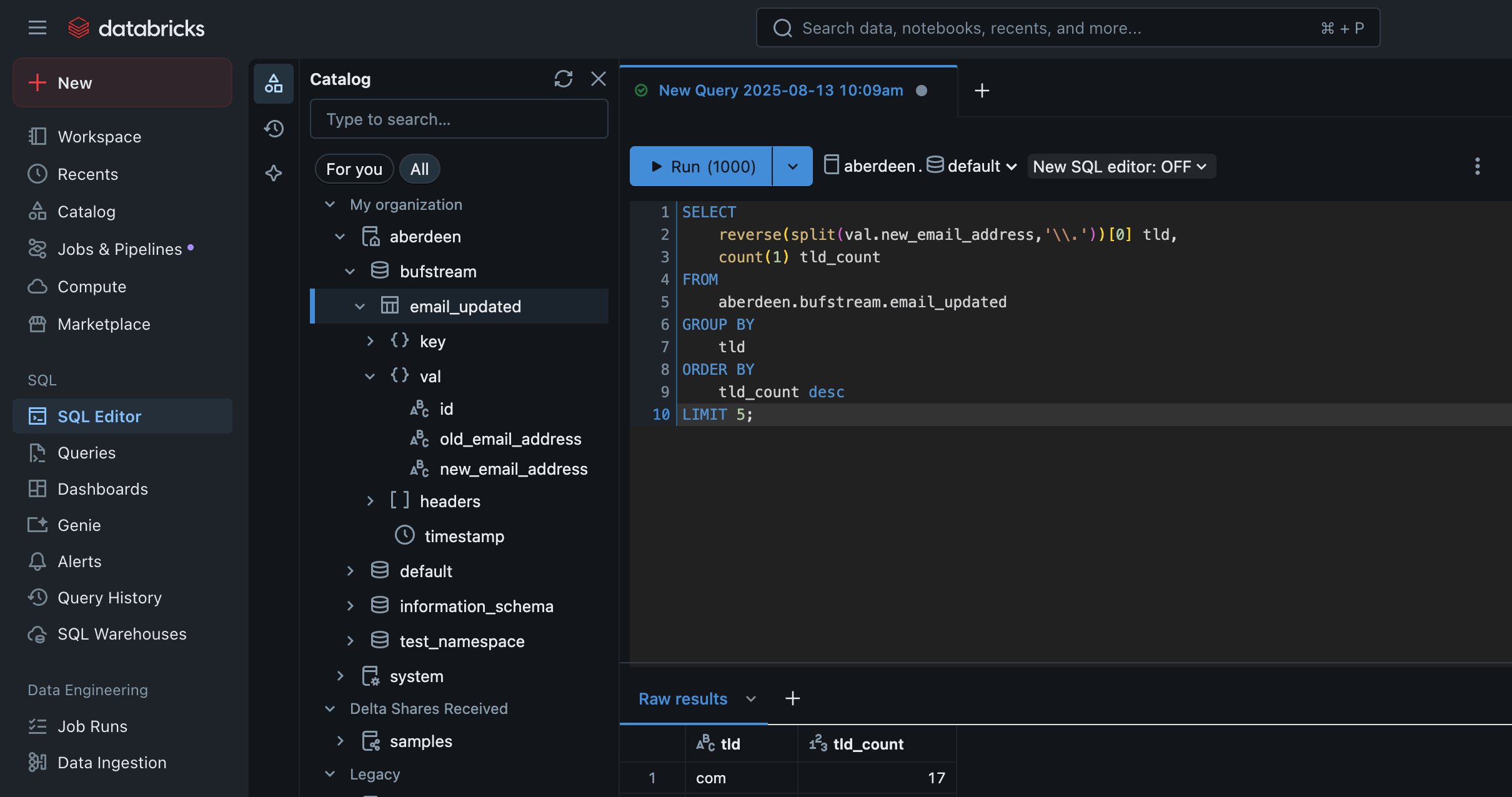
After your topic is configured, Bufstream will wait up to 30 seconds to start exporting data. If you’ve set your commit frequency (bufstream.export.iceberg.commit.freq.ms) to five minutes, that means you should start to see records arrive in Databricks within five and a half minutes.
Once you see your table in Databricks, you can start querying your Kafka records’ keys and values: