
Schema documentation
Every module on the Buf Schema Registry has a documentation site at its Docs tab. The BSR generates the schema navigation and entity pages from your .proto files; you supply the overviews and commentary through README files and Protobuf comments.
The BSR produces the following automatically:
- A landing page for each module with links into every package.
- A page per package with an index of messages, enums, services, and methods, plus a per-entity anchor for sharing direct links.
- A source browser showing the original
.protofiles with cross-file navigation. - Deprecation banners on entities marked with
deprecated, and inline rendering of other annotated options.
See connectrpc/eliza for a live example, or click into the Docs tab on any module:

Module documentation
A module’s landing page shows links into each of its packages alongside the README you provide:
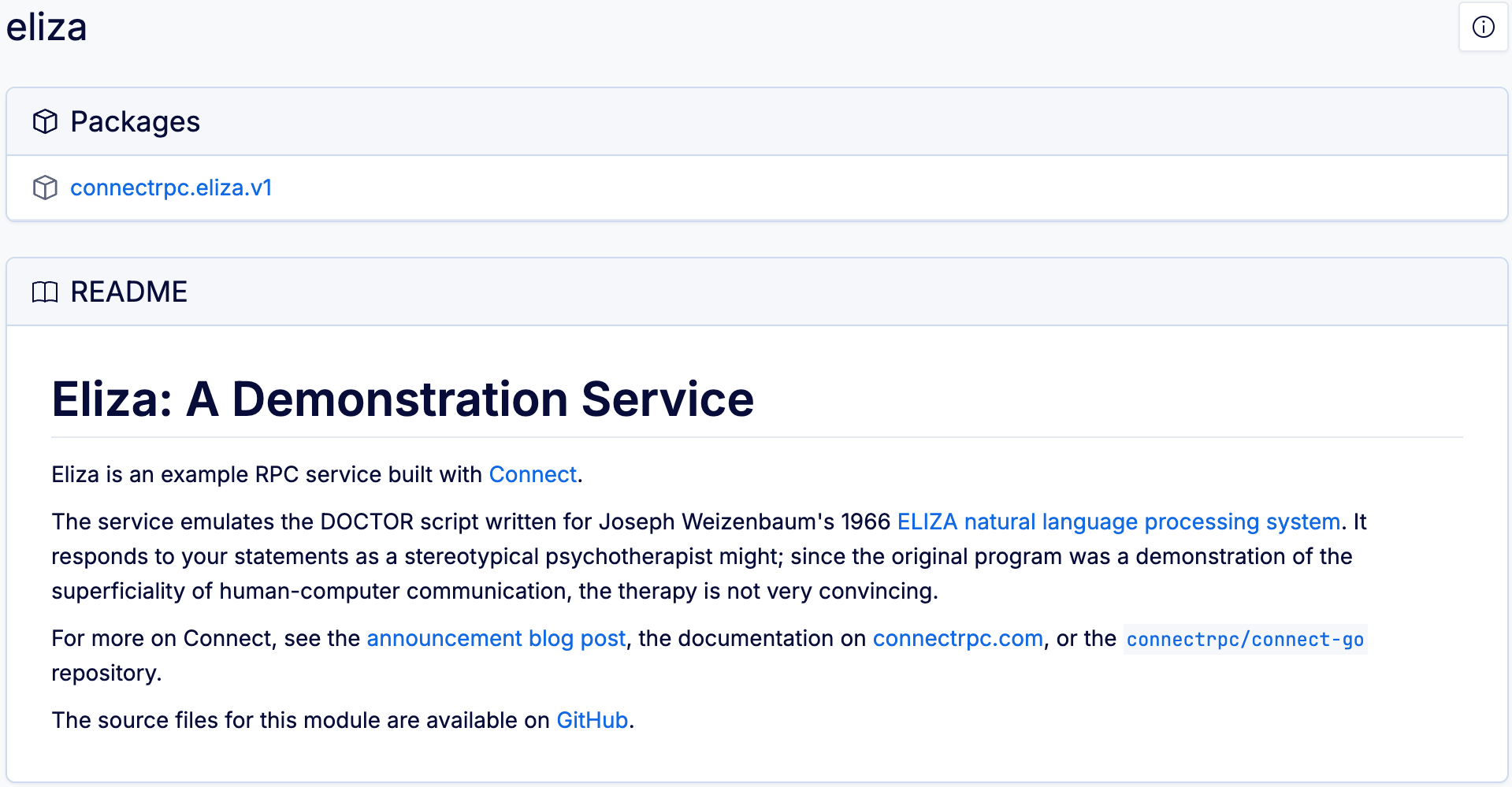
To add a README, put a README.md, README.markdown, or buf.md file at the root of the module and push it with your .proto files. The BSR treats documentation as part of the module, so edits to the README produce new commits just like schema changes do.
When more than one of these files is present, buf.md takes precedence. Use buf.md when you want the documentation published to the BSR to differ from the README in your source repository.
A README can live at the module root or at the workspace root. Modules that don’t have their own README fall back to the workspace README. In the example below, proto/weatherapi has its own README.md and the module at proto/units inherits the workspace README:
Directory structure
workspace_root
├─ buf.yaml
├─ proto
│  └─ weatherapi
│     ├─ README.md # Module-level documentation
│     ├─ acme
│     │  ├─ weatherapi
│     │  └─ v1
│     │     ├─ api.proto
│     │     └─ calculate.proto
│     └─ units
│        └─ acme
│           ├─ units
│           └─ v1
│              ├─ imperial.proto
│              └─ metric.proto
└─ README.md  # Workspace-level documentation
buf.yaml
version: v2
modules:
  - path: proto/weatherapi
    name: "buf.build/acme/weatherapi"
  - path: proto/units
    name: "buf.build/acme/units"
Package documentation
Clicking into a package shows the package overview at the top, an index of entities on the left grouped by kind, and the entities themselves on the right in the same order:
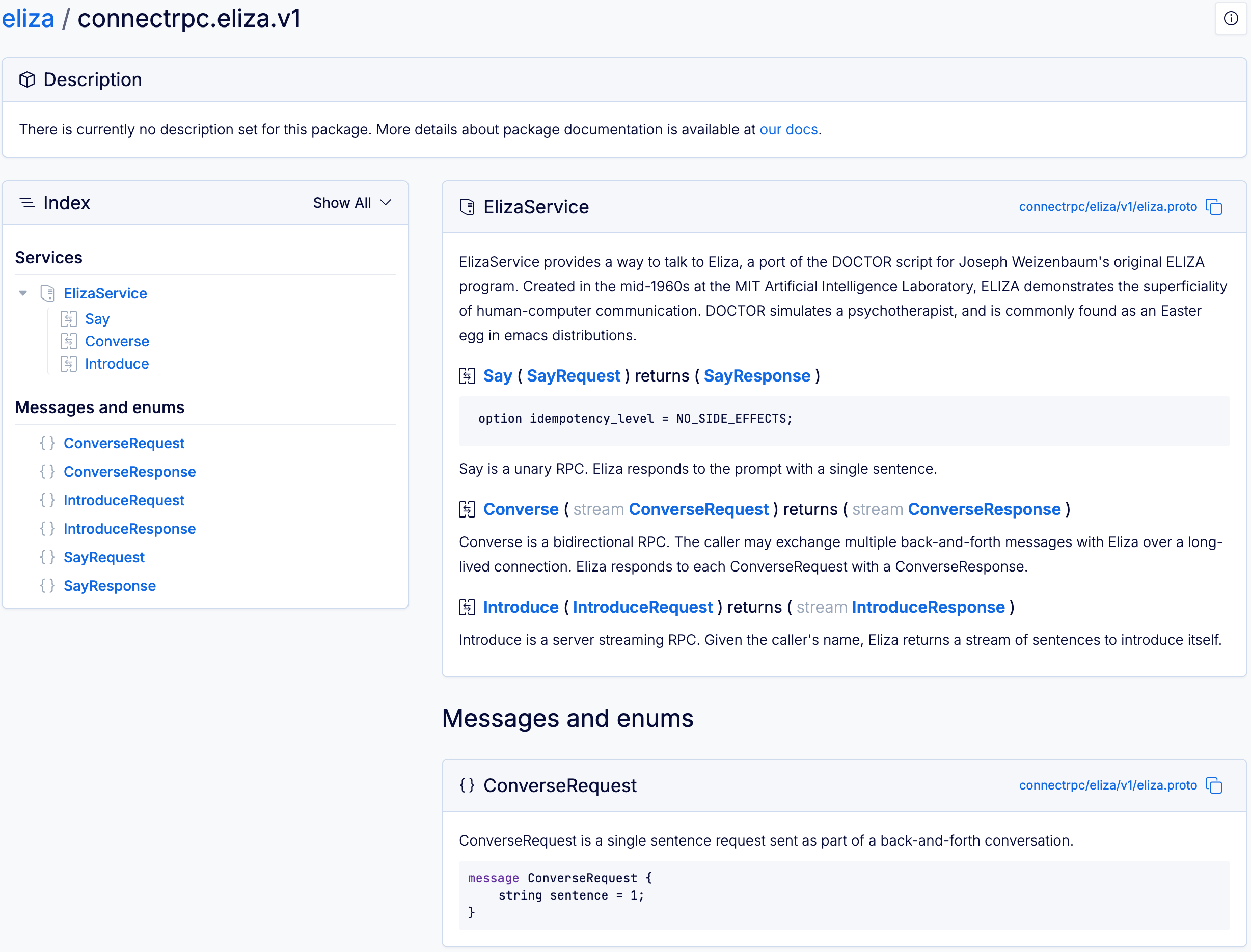
Each entity header has a unique anchor you can click to copy a shareable link, and the filename next to each entity jumps back to the source view.
To add an overview for a package, put a comment directly above the package directive in any .proto file that declares it:
pet.proto
syntax = "proto3";

// This package represents all information needed to represent a pet for sale in the store.
package pet.v1;
Package comments aren’t merged across files. When a package is declared in more than one file, the BSR sorts those files alphabetically by path and uses the package comment from the first file that has one. If you want a specific file’s comment to appear in the docs, make sure it’s the alphabetically earliest file in that package.
Annotated Protobuf options
Options annotated on your schema are preserved in the rendered source view. The deprecated option also triggers a banner at the top of the entity’s section:
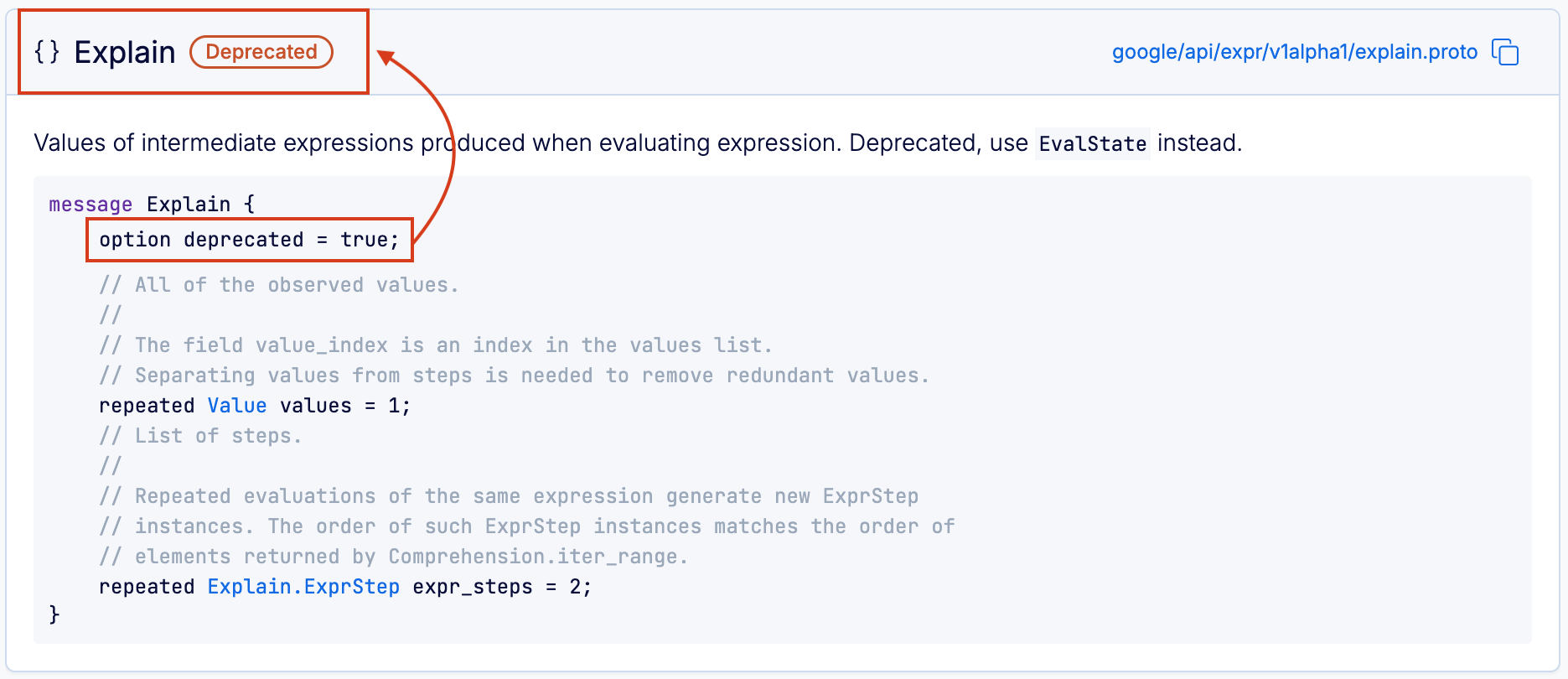
Other options appear inline in the source display rather than as a special banner. The BSR recognizes the following options from Protobuf’s built-in descriptor.proto:
- Message options:
deprecated - Field options:
deprecated,packed,ctype,jstype,lazy,unverified_lazy,weak,uninterpreted_option - Enum options:
allow_alias,deprecated,uninterpreted_option - Enum value options:
deprecated,uninterpreted_option - Service options:
deprecated,uninterpreted_option - Method options:
deprecated,idempotency_level,uninterpreted_option
Custom options
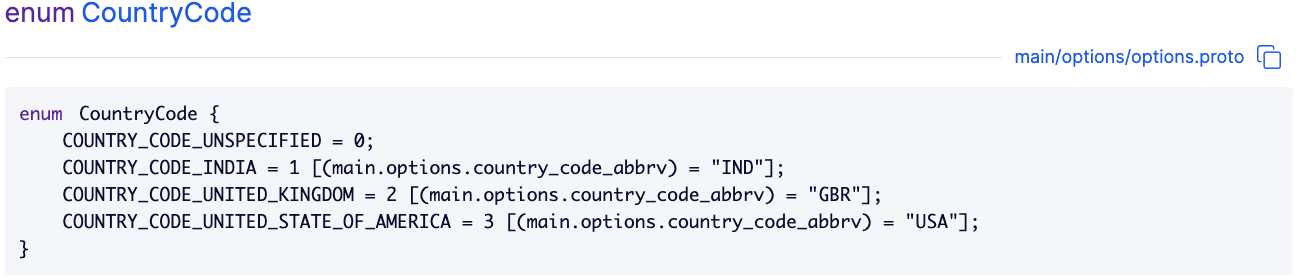
Custom options are rendered as well. The Protobuf documentation covers how to define and apply them; the example below shows a custom enum-value option and its rendered documentation:
main/options/v1/options.proto
syntax = "proto3";

package main.options.v1;

extend google.protobuf.EnumValueOptions {
  string country_code_abbrv = 2000;
}

enum CountryCode {
  COUNTRY_CODE_UNSPECIFIED = 0;
  COUNTRY_CODE_INDIA = 1 [(country_code_abbrv) = "IND"];
  COUNTRY_CODE_UNITED_KINGDOM = 2 [(country_code_abbrv) = "GBR"];
  COUNTRY_CODE_UNITED_STATE_OF_AMERICA = 3 [(country_code_abbrv) = "USA"];
}
Formatting syntax
Module READMEs, package overviews, and Protobuf comments all render with the same Markdown flavor:
- CommonMark: standardized Markdown.
- GitHub Flavored Markdown: GitHub’s extensions, including task lists and tables.
- Mermaid: diagrams and charts. Open the code block with
```mermaid.
Related
- Publish a module: how authored documentation reaches the registry.
- Generated SDK documentation: API reference pages published alongside generated SDKs for supported languages.